What is Vibe Coding? The Complete Guide (2026)
Learn what vibe coding is, how it works, which tools to use, where it breaks, and the practices that make AI-generated software reliable.
Part of the Coding Tools topic hub.
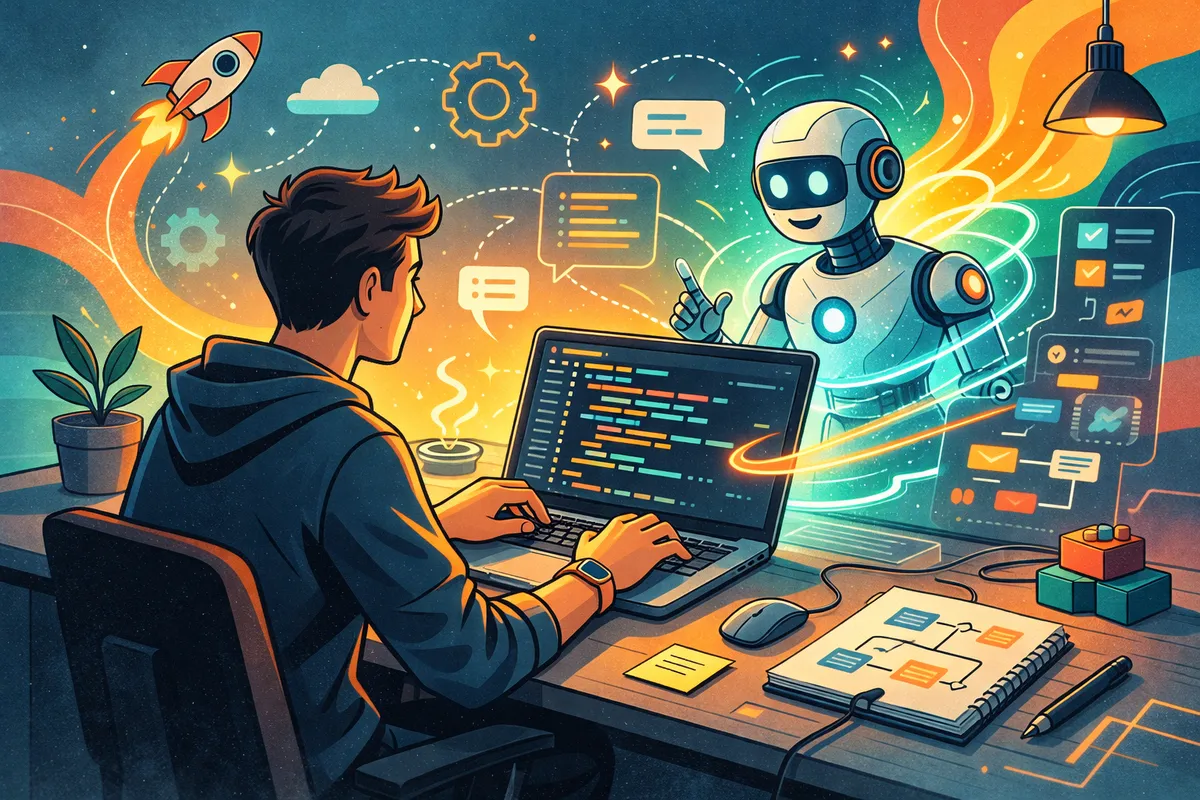
Table of Contents
I’ve been vibe coding since before it had a name.
Back in late 2024, I was building a SaaS MVP with Claude Sonnet 3.5, asking it to generate code via the webapp and copying that into my local files. A couple of months later, Andrej Karpathy posted a tweet that gave the thing a label, and suddenly a new industry was born.
Now, a year later, we have dozens of vibe coding tools and platforms. The hype pieces say vibe coding will replace developers. The dismissals say it’s just autocomplete with extra steps. Both miss what’s actually happening.
I’ve spent the last year building real products this way. SaaS apps, internal tools, this entire website’s automation system. I’ve used Claude Code, Cursor, Amp, Factory, and Copilot. Just kidding, no one uses Copilot. I’ve shipped things that work and I’ve generated code so bad I had to throw the whole project away and start over.
This is the guide I wish existed when I started.
What is Vibe Coding?
In February 2025, Andrej Karpathy (co-founder of OpenAI, former Tesla AI lead) posted a tweet that coined the term:
“There’s a new kind of coding I call ‘vibe coding,’ where you fully give in to the vibes, embrace exponentials, and forget that the code even exists.”
That tweet launched a thousand hot takes. But strip away the discourse and vibe coding is a straightforward concept: you describe what you want in natural language, and an AI writes the code for you.
Instead of writing const express = require('express') and building a server line by line, you say “build me an Express API with user authentication and a PostgreSQL database” and an AI coding tool generates the implementation.
The Definition is Already Evolving
Karpathy himself has moved on from the term and prefers “agentic engineering”, emphasizing that developers are orchestrating agents who write code, providing oversight, and that “there is an art & science and expertise to it.”
Even more interesting is the distinction drawn by Antirez, the creator of Redis. He separates vibe coding (producing software without much understanding of what’s going on) from what he calls “automatic programming” (producing high-quality software that strictly follows the producer’s vision, with AI as an execution tool).
He shipped flux2.c, a pure C image generation model, writing “zero lines of code” with Claude Code. But he’s clear that his deep expertise in C and systems programming was the critical ingredient. The same AI, guided by someone without that expertise, would have produced something completely different.
This distinction matters. When Karpathy said “forget that the code even exists,” he was describing one end of the spectrum. The productive end looks more like what Antirez describes: you own the architecture, the decisions, and the quality bar. The AI handles the implementation.
The word “vibe” in vibe coding captures something real, though. You’re not writing precise specifications in a formal language. You’re communicating intent, direction, feel. You describe the vibe of what you want and the AI figures out the implementation details. The skill is in knowing how much precision to add and when to let the AI improvise.
How Vibe Coding Works in Practice
Let me walk you through what actual vibe coding sessions look like, from simple to complex.
Example 1: A Simple Component
Say I want to add a newsletter signup form to my Astro site. Here’s what that looks like in Claude Code:
Add a newsletter signup component to the blog. It should:
- Appear after blog post content
- Have an email input and submit button
- Submit to the ConvertKit
- Show a success message after signup
I’m just explaining how I want the form to behave and where it should appear. Claude Code reads my existing codebase, understands the design system, and generates a component that actually fits.
What happens behind the scenes:
- Claude Code scans the project structure, reads
global.cssfor the design tokens, checks existing components for patterns - It creates a new
.astrocomponent with the HTML, CSS, and JavaScript - It updates the blog post layout to include the component
- It handles the ConvertKit API call with proper error handling
The generated code uses my existing CSS classes, follows Astro conventions, and matches the tone of the site. I didn’t have to explain any of that because the AI read the codebase first.
- Before (traditional): Open docs for ConvertKit API. Write HTML form. Style it to match existing design. Write fetch call. Handle loading state. Handle errors. Test it. ~60 minutes.
- After (vibe coding): Write a 5-line prompt. Review the generated code. Make one tweak to the success message. ~5 minutes.
Example 2: Spec-Driven Feature Build
Simple components are the easy case. Here’s what a more serious vibe coding session looks like, the kind where you’re building a real feature across multiple files.
The emerging best practice among experienced vibe coders is spec-driven development: write a clear spec first, then hand it to the AI.
Let’s say I’m adding a content search system to a blog:
Step 1: Write the spec (you, not the AI)
## Content Search Feature

### Goal
Add full-text search across blog posts with instant results.

### Architecture
- Build a JSON index at build time (title, description, tags, first 200 words)
- Client-side search using Fuse.js for fuzzy matching
- Search modal triggered by Cmd+K
- Results show title, excerpt, and tags

### Constraints
- No server-side search. This is a static site.
- Index must be under 500KB
- Results should appear as you type (no submit button)
- Follow existing component patterns in src/components/
Step 2: Feed the spec to Claude Code
Read the spec above and implement it. Start with the build-time index generator, then the search component. Check existing components for patterns before writing new ones.Step 3: Review each piece as it’s generated
Claude Code will typically work through this in stages: create the index script, build the search component, add the keyboard shortcut, wire it into the layout. I review each stage, run it, and course-correct before the next one.
The spec does the heavy lifting. Notice that I’m being a bit more prescriptive here. This constrains the AI’s decisions so it’s implementing your architecture, not inventing its own. This is what separates a productive session from a “whack-a-mole” loop where you’re constantly fixing AI decisions you didn’t ask for.
The Vibe Coding Tools
I’ve used all the major vibe coding tools over the past year. In general, there are the “technical” tools mostly used by developers, and the “non-technical” for everyone else.
For Developers
Claude Code is my daily driver. It’s a terminal-based AI coding agent from Anthropic. You run it in your project directory and talk to it in natural language. It reads your files, writes code, runs commands, and iterates. For more information
Best for: Full-stack development, refactoring, complex multi-file changes, established codebases.
Cursor is the best entry point for developers new to vibe coding. It’s a VS Code fork with AI built in: autocomplete (Tab), chat (Cmd+L), and agent mode (Composer). Agent mode is powerful, and the inline diff view makes it easy to review changes before accepting them.
Best for: Daily development workflow, beginners, developers who want AI in their IDE.
I have guides for both: Claude Code complete guide and Cursor beginner’s guide.
Amp Code is a terminal-based agent from Sourcegraph. Model-agnostic, so you can use Claude, GPT, or Gemini as the underlying model. The thread model lets you run multiple tasks in parallel. Swapping models on the fly is useful when one model is struggling with a specific task. Full breakdown in my Amp Code guide.
Best for: Teams, parallel workflows, model flexibility.
GitHub Copilot’s autocomplete is solid and the agent mode has improved. But it’s not the tool I reach for when building from scratch. Better as a coding accelerator than a coding replacement. I’m only adding it here because a shocking number of enterprises use it.
Windsurf (formerly Codeium, now acquired by OpenAI) has an impressive “Cascade” agent for multi-step tasks. The AI feels more context-aware than Copilot. But I found it less reliable than Cursor for everyday use, and the acquisition means the direction may shift.
For Non-Developers
This is where vibe coding gets interesting for a different audience. An analysis of 1,000 Reddit comments across vibe coding communities found that 63% of active users are non-developers: PMs, founders, marketers, operators. 25% of Y Combinator’s Winter 2025 batch built startups with 95%+ AI-generated codebases.
Replit is the most accessible tool. Browser-based, no installation, no setup. Describe what you want and it builds and deploys it. The trade-off is lower code quality and vendor lock-in.
Lovable and Bolt.new generate full apps from text prompts in the browser. They’re fast for demos and prototypes. But proceed with extreme caution on anything production-facing (more on Lovable’s security track record later).
The critical difference between vibe coding and traditional no-code tools (Bubble, Glide) is that vibe coding generates actual source code. React, Python, whatever you need. You get the flexibility of custom development with the speed of a drag-and-drop builder. The catch: you also inherit the responsibility of owning that code, even if you don’t fully understand it.
Quick Comparison
| Tool | Type | Best For | Learning Curve | My Rating |
|---|---|---|---|---|
| Claude Code | Terminal agent | Existing codebases, full-stack | Medium | ★★★★★ |
| Cursor | IDE (VS Code fork) | Daily development, beginners | Low | ★★★★☆ |
| Amp Code | Terminal agent | Teams, model flexibility | Medium | ★★★★☆ |
| Replit | Browser IDE | Prototypes, non-devs | Very Low | ★★★☆☆ |
| Lovable | Browser builder | Quick demos, MVPs | Very Low | ★★★☆☆ |
| Bolt.new | Browser builder | Rapid prototyping | Very Low | ★★☆☆☆ |
The emerging consensus among developers using multiple tools daily: use Cursor for in-editor velocity, Claude Code for planning and complex architectural tasks, and browser builders for quick prototypes you might throw away.
For a complete breakdown of the entire ecosystem (frameworks, databases, deployment, payments), check out The Vibe Coders’ Stack.
When Vibe Coding Works
Vibe coding isn’t magic. But there are situations where it’s so effective it feels unfair.
Prototyping and MVPs
This is the killer use case. When you need to go from idea to working prototype fast, vibe coding compresses days of work into hours. I’ve built SaaS MVPs by describing features in plain English and iterating with an AI agent until it worked.
Solo Projects and Side Projects
If you’re a solo developer (or a non-developer with an idea), vibe coding is transformative. Tasks that used to require hiring a developer or spending weeks learning a framework now take an afternoon.
I built the automation system for this website, including content indexing, internal link tracking, and deployment pipelines, entirely through vibe coding sessions with Claude Code.
Boilerplate and Repetitive Code
Setting up authentication, building CRUD endpoints, writing database migrations, configuring CI/CD. These are solved problems that AI handles well. Instead of copying from previous projects or following a tutorial, just describe what you need:
Set up Supabase auth with Google OAuth, email/password,
and a protected dashboard route. Use the existing
middleware pattern from the auth module.
Five minutes instead of an hour.
Learning New Frameworks
When I need to build something in a framework I haven’t used before, vibe coding is faster than reading docs. Not instead of reading docs, but as a complement. The AI generates idiomatic code for the framework while I focus on understanding the concepts.
I learned Astro this way. Instead of working through tutorials, I described what I wanted to build and let Claude Code generate Astro-idiomatic code. When something looked unfamiliar, I asked why it was done that way. The AI became a tutor and an implementer at the same time.
Stanford has seen this play out at scale. A physics PhD used AI coding tools to acquire new programming skills rapidly. The combination of domain expertise plus AI assistance is more powerful than either alone.
Exploring Possibilities
Sometimes I don’t know exactly what I want. Vibe coding lets me say “show me three different approaches to this” and compare them. It’s like having a senior developer available for brainstorming at any hour.
When Vibe Coding Breaks
Vibe coding has real, painful, documented failure modes. I’ve hit most of them personally, and the industry data is starting to paint a clear picture.
The Three-Month Wall
Your vibe-coded project works great for the first few weeks. You’re shipping features fast, everything feels smooth. Then around the three-month mark, the codebase hits a size where the AI can no longer hold it all in context, and things start falling apart.
Red Hat’s developer team documented this pattern: the “whack-a-mole effect” sets in. You fix one issue and it creates cascading failures because the AI lacks a coherent mental model of the entire system. The code was generated piecemeal across dozens of sessions, and no single session understood all the decisions made in previous ones.
I’ve hit this wall. The fix is the spec-driven approach I described earlier. But you need to start with it, not bolt it on after three months of unstructured prompting.
What to do instead: Maintain a living architecture doc (CLAUDE.md, .cursorrules, or just a markdown file) that captures every major decision. Break features into scoped tasks that don’t require the AI to understand the whole system. Commit often so you can roll back when the AI makes a mess. I wrote about this in depth in my context engineering guide.
Security is Not a Vibe
This one is serious. According to Veracode’s GenAI Code Security Report, which tested 80 coding tasks across 100+ LLMs, 45% of AI-generated code introduces security vulnerabilities. Peer-reviewed research from CodeScene and Lund University found that AI coding assistants increase defect risk by at least 30% in projects with poor code health.
In February 2026, a security researcher discovered that a Lovable-built app had **16 vulnerabilities, 6 of them critical**, exposing 18,697 user records including students from UC Berkeley and UC Davis. The authentication logic was literally inverted: blocking people it should allow and allowing people it should block.
The six vulnerability categories I see most often in AI-generated code:
- SQL injection. AI loves string concatenation for queries instead of parameterized statements.
- Secrets exposure. Hardcoded API keys and credentials, especially in debugging code the AI forgot to remove.
- Cross-site scripting. AI-generated UI code frequently skips output encoding.
- Dependency risks. AI sometimes suggests packages that are outdated, deprecated, or don’t even exist. Attackers have started registering package names that AI models commonly hallucinate, a technique called “slopsquatting.”
- Missing auth checks. The Lovable incident is the extreme case, but I’ve caught AI-generated code that forgot to check permissions on API endpoints multiple times.
- Eval and dynamic execution. AI reaches for
eval(),Function(), and dynamic imports more than any human developer would.
What to do instead: Treat security as a manual review checkpoint, never a vibe. Never ship vibe-coded authentication, authorization, payment processing, or data encryption without a thorough manual review. Run a scanner (Snyk, Semgrep) on every AI-generated change. If you’re building anything that handles user data, the security review time you save by vibe coding should be reinvested into security review of the output.
Complex Architecture Decisions
AI is great at implementing patterns. It’s bad at choosing which patterns to use. If you ask it to “build me a scalable event-driven system,” you’ll get something that compiles but might be architecturally wrong for your specific constraints.
The AI doesn’t know your traffic patterns, your team’s expertise, your deployment constraints, or your budget. It gives you a plausible architecture, not necessarily the right one. This is exactly the Antirez point: the human’s architectural vision is the critical ingredient that identical AI models can’t supply on their own.
What to do instead: Make the architectural decisions yourself. Then use vibe coding to implement them. Own the “what” and the “why.” Let the AI handle the “how.”
The 66% Productivity Tax
Stack Overflow’s survey data revealed something uncomfortable: there’s a 66% “productivity tax” when experienced developers clean up AI-generated code. The AI gets you to a working state fast, but the code often has subtle issues: inconsistent patterns, unnecessary complexity, edge cases handled incorrectly, tests that pass but don’t actually test the right things.
The consensus is an 80/20 split. AI gets about 80% of the implementation to a functional state. Developer expertise handles the remaining 20%, which is where the hard problems live: edge cases, performance, security boundaries, architectural consistency.
That last 20% is not optional. Skip it and you’re building on sand.
The Copy-Paste Test
Here’s my personal rule: if you can’t explain every line of the generated code, you don’t own it. And code you don’t own will eventually own you.
I’ve seen developers accept hundreds of lines of AI-generated code without reading it. It works today. But when something breaks at 2 AM and you don’t understand the code, you’re worse off than if you’d written it yourself. You’re debugging someone else’s logic without any of the context that comes from having written it.
Vibe coding without comprehension is just accumulating technical debt at machine speed. As one developer put it: “Vibe coding feels like a cheat code, just prompt some AI magic and boom, instant app. But once you step beyond toy projects, reality checks in hard.”
The Open Source Problem
There’s a consequence of vibe coding that goes beyond your own codebase, and it’s becoming the hottest debate in the developer community.
AI coding tools consume open source libraries. They generate code that depends on Express, Tailwind, Next.js, thousands of packages. But they do it without the human behaviors that sustain those projects: reading documentation, filing bug reports, contributing fixes, donating.
The numbers are stark. Tailwind Labs CEO Adam Wathan reports that docs traffic is down roughly 40% from early 2023, despite Tailwind being more popular than ever. Why? Because AI tools read the docs so developers don’t have to. But Tailwind’s commercial model depends on that traffic. The impact was severe enough that Tailwind Labs laid off 75% of its engineering team.
Daniel Stenberg shut down cURL’s bug bounty program after AI-generated submissions hit 20%, with zero genuine vulnerabilities found from AI-only submissions in six years. Mitchell Hashimoto banned AI-generated code from Ghostty. Steve Ruiz closed all external PRs to tldraw. Maintainers are drowning in low-quality AI-generated contributions while seeing the engagement that funds their work evaporate.
A research paper from CEU and the Kiel Institute found that vibe coding weakens the user engagement loop that sustains open source: fewer docs visits, fewer bug reports, fewer contributions. The Hacker News thread about this generated 285 comments in a single day.
I don’t have a clean answer here. But I think anyone who writes about vibe coding has a responsibility to mention it. If you’re building with AI tools that depend on open source, find ways to give back. Sponsor the projects you use. File real bug reports when you find issues. Contribute fixes when you can. The tools we depend on don’t maintain themselves.
Vibe Coding Best Practices
I’ve been doing this daily for over a year. Here’s what I’ve learned about doing it well, mostly by doing it badly first.
1. Think Like an Architect, Not a Typist
The most important mindset shift: your job is not to prompt the AI into writing code. Your job is to make the decisions the AI can’t make, then direct it to execute.
This is Antirez’s “automatic programming” insight in practice. You own:
- Architecture. What components exist, how they communicate, what the data model looks like.
- Quality bar. What “good enough” means for this project, this feature, this deadline.
- Constraints. Performance requirements, security boundaries, deployment targets.
- Scope. What to build now and what to defer.
The AI owns: implementation. The typing. The boilerplate. The syntax you’d have to look up anyway.
When you frame it this way, vibe coding stops being “letting AI write your code” and becomes “directing an execution layer that works at machine speed.”
2. Start With a Spec, Not a Prompt
The biggest mistake people make is jumping straight into prompts without a clear plan. Every substantial vibe coding session should start with a spec, even a short one.
Bad approach:
Build a user settings pageGood approach:
## User Settings

### Requirements
- Profile info (name, email, avatar)
- Notification preferences (email, push, frequency)
- Account actions (change password, delete account)

### Architecture
- Follow the same layout pattern as src/pages/dashboard.astro
- Use existing form components from src/components/forms/
- Store in user_preferences table (schema in prisma/schema.prisma)
- Match the design system in global.css

### Constraints
- Avatar upload max 2MB, resize to 200x200
- Delete account requires email confirmation
- Don't add new dependencies
The second version produces code that fits your project. The spec is also your documentation: when you come back in three months, you’ll know what you asked for and why.
3. Work in Small, Reviewable Chunks
Don’t ask the AI to build your entire app in one prompt. This is how you end up with 2,000 lines of generated code you don’t understand, and how you hit the Three-Month Wall faster.
Instead, work iteratively:
- Set up the structure (routing, layouts, database schema)
- Build one feature at a time (user auth, then the dashboard, then settings)
- Review and test each piece before moving to the next
- Commit working code at each step
This gives you checkpoints to roll back to when something goes wrong. And something will go wrong.
4. Review Like a Senior Engineer
Read what the AI generates. Not just “does it work?” but “do I understand how it works and is it right?”
My review checklist for AI-generated code:
- Does it follow my project’s patterns? Or did it introduce a new pattern I didn’t ask for?
- Are there hidden dependencies? Did it install a package I don’t need?
- Is the error handling reasonable? Or does it silently swallow errors?
- Any security red flags? Hardcoded secrets, string concatenation in queries, missing auth checks,
eval(). - Would I write it this way? If not, why not? Sometimes the AI’s approach is better. Sometimes it’s worse.
5. Use the Right Tool for the Task
Don’t use a browser-based builder for production code. Don’t use a terminal agent for a quick demo. Match the tool to the job:
| Task | Best Tool |
|---|---|
| Quick prototype or demo | Replit, Lovable, or Cursor Agent mode |
| New feature in existing project | Claude Code |
| Refactoring or cleanup | Claude Code with explicit instructions |
| Learning a new framework | Cursor with the docs open |
| Team collaboration | Amp Code |
For a complete breakdown of which tools to use when, check out the universal playbook.
6. Manage Your Context Window
This is the underrated skill that separates productive vibe coders from frustrated ones. The AI can only work with what it can see, and every tool has a context limit.
Practical tips:
- Use CLAUDE.md / .cursorrules. Give the AI a persistent map of your project: architecture, conventions, file structure, important decisions. This is the single most impactful thing you can do for vibe coding quality.
- Reference specific files. “Use the pattern from src/components/Card.astro” is better than “use the existing card pattern.”
- Start fresh when stuck. If the AI is spiraling, start a new session with a clean context. Carry over the spec, not the history of failed attempts.
- Keep your project navigable. Good file naming, consistent folder structure, clear separation of concerns. The AI benefits from the same organization practices that help human developers.
I wrote about this in depth in my context engineering guide.
7. Version Control is Non-Negotiable
Commit before every major AI-driven change. Commit after every successful change. Your git history is your safety net.
I’ve lost count of how many times I’ve run git diff to review what Claude Code changed, spotted something wrong, and reverted to a clean state. Without version control, you’re flying without a parachute.
8. Know When to Stop Vibing
If you’ve been going back and forth with the AI for more than three or four iterations on the same problem and it’s not converging, stop. The AI is stuck in a loop. This is your signal to:
- Read the error message yourself
- Understand the underlying issue
- Write the fix manually or give the AI much more specific guidance
Stubbornness is the enemy of good vibe coding. Know when to take the wheel.
Vibe Coding vs Traditional Coding
This isn’t an either/or. And framing it that way is how you end up in the Sundar Pichai vs. Sridhar Vembu discourse loop. Pichai champions vibe coding as the future. Vembu (Zoho’s founder) warns it will “pile up tech debt faster and faster until the whole thing collapses.” They’re both right, about different situations.
The 80/20 framework is the most useful mental model here:
The AI handles the 80%: Boilerplate, well-understood patterns, syntax, standard implementations, code you’d write on autopilot anyway. This is where vibe coding delivers enormous value. Let the machine do the mechanical work.
You handle the 20%: Architecture decisions, security boundaries, performance-critical paths, edge cases, integration points, anything novel or domain-specific. This is where human expertise is irreplaceable. Skimp on it and you pay the 66% productivity tax later.
Use vibe coding when:
- You know what you want but don’t want to write the boilerplate
- You’re working on a well-understood problem with known patterns
- Speed matters more than optimal code
- You’re prototyping or exploring
- The code is straightforward enough that you can review it quickly
Write code manually when:
- You’re making architectural decisions that need deep thought
- The code is security-critical or performance-critical
- You need to understand every nuance of the implementation
- The AI keeps getting it wrong after multiple attempts
- You’re writing algorithmic code that requires precision
The middle ground is where most productive work happens. I call it AI-assisted coding: you write the structure and the critical logic, and the AI fills in the implementation details. You’re still driving, but you have a copilot who handles the routine work.
Think of it like GPS navigation. You decide where you’re going and which route to take. The GPS handles the turn-by-turn directions. You don’t turn off your brain just because you have GPS, and you don’t throw away GPS just because you know how to read a map.
The developers who thrive with vibe coding are the ones who understand code well enough to make good decisions about when to let the AI drive and when to take over. That understanding doesn’t come from vibing. It comes from experience, from reading code, from debugging at 2 AM, from building things the hard way first.
The Future: From Vibe Coding to Agentic Engineering
Vibe coding as Karpathy originally described it, “forget that the code even exists,” is already being surpassed by something more structured and more powerful.
The next phase is agentic coding: AI that doesn’t just write code when you ask, but plans, executes, tests, and iterates autonomously. We’re seeing the early version of this now. Claude Code can read a GitHub issue, plan the implementation, write the code, run the tests, fix failures, and open a PR. Cursor’s agent mode can make multi-file changes and run commands. Amp Code lets you run multiple AI threads in parallel, each working on a different part of the problem.
But the trajectory goes further than that. The next generation of tools will support persistent context across sessions (Claude Code’s automatic memory is an early version), multi-agent collaboration (where different AI agents handle different parts of a project simultaneously), and spec-to-deployment pipelines where you provide a product brief and the agent ships the feature end to end.
This doesn’t mean developers become irrelevant. It means the job shifts from “write code” to “direct agents, review output, make architectural decisions, and handle the hard problems.” Karpathy’s pivot from “vibe coding” to “agentic engineering” captures this exactly. The vibes part stays. The engineering part becomes the differentiator.
The developers who will thrive in this world are the ones building that engineering muscle now: learning to write good specs, reviewing AI output critically, understanding architecture deeply enough to direct AI agents effectively. If you’re reading this guide and actually applying it, you’re already ahead.
If you want to understand where this is heading, I’ve been writing about AI agents and what it looks like to build with them.
Start Vibe Coding Today
If you’ve read this far and haven’t tried vibe coding yet, here’s how to start:
- Pick a tool. If you’re a developer, install Claude Code or Cursor. If you’re not, try Replit.
- Start with a small project. A personal website, a simple API, a tool you wish existed. Don’t start with your production app.
- Write a spec first. Even three bullet points about what you want. Don’t just prompt and pray.
- Read everything the AI generates. Understand it before you accept it. Run the copy-paste test.
- Iterate in small chunks. Build one feature, commit, move to the next.
- Run a security scan on anything that touches user data. Snyk and Semgrep both have free tiers.
The best way to understand vibe coding is to do it. The second best way is to read about how other people do it. I’ve written guides on building SaaS MVPs this way, on the complete tool stack, and on the patterns that work across all AI coding tools.
Now go build something. Read the code before you ship it.
Related Posts

What Is an Agent Harness? How Coding Agents Actually Work
Inside Claude Code, Codex, Amp, and Factory: agent loops, tools, context, sandboxes, permissions, memory, and feedback.

The Anatomy of Claude Code And How To Build Agent Harnesses
See how Claude Code's agent loop handles prompts, tools, context, and verification, and apply the same design to your own agent harness.
The Vibe Coders' Stack: All The Tools You Need to Ship
A practical guide to the AI coding tools, deployment platforms, databases, and payment systems you need to build and ship software quickly.